

Invoicing & payments
From estimate to collected cash, in one flow
Quote it, get it accepted online, convert to an invoice in one tap, take a deposit, and let reminders, late fees and the client portal chase the balance for you. Every document is a clean A4 PDF with your logo, bank details and the exact tax breakdown.
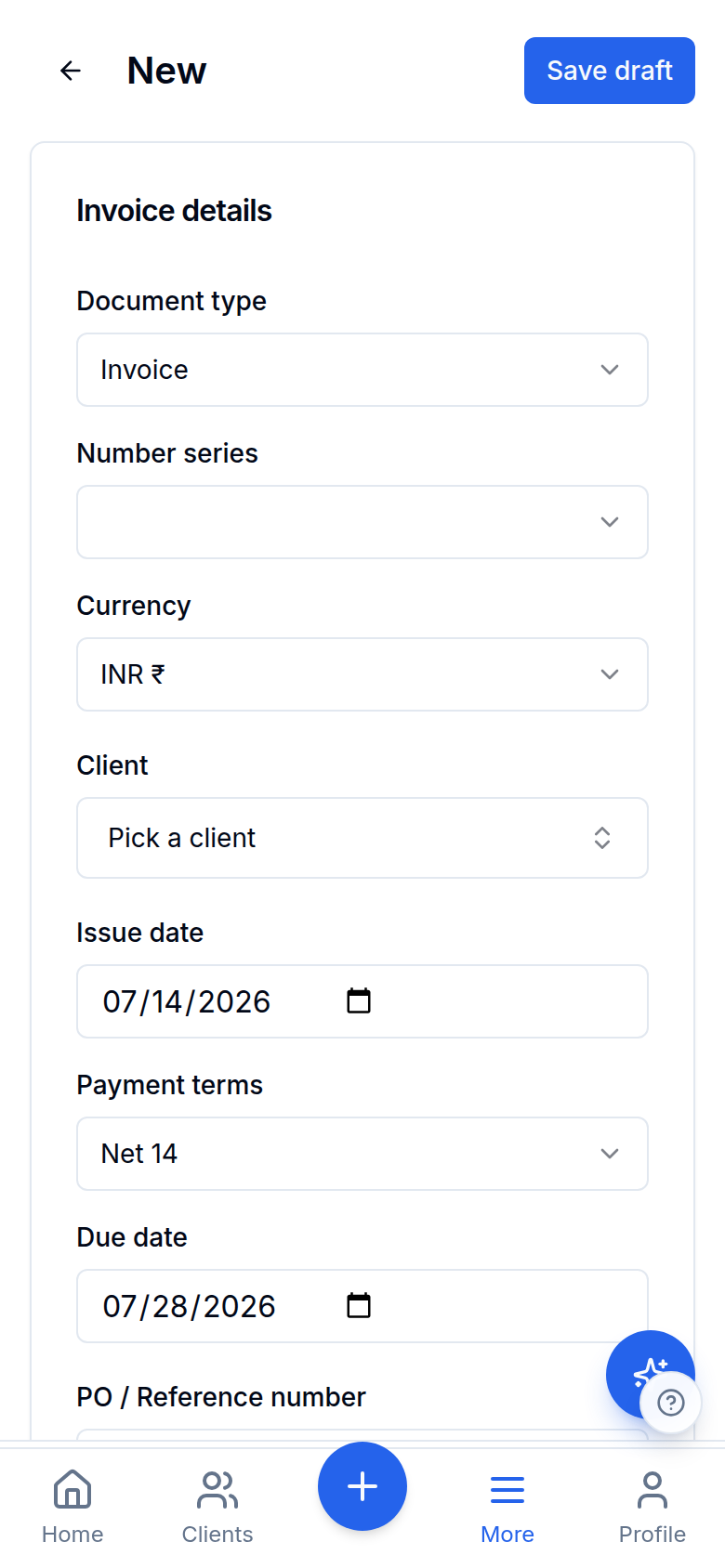
Actual app — a real screenshot on sample data, not a mock-up.
Estimates your client accepts online
Send an EST-numbered estimate with a hosted accept page. The client accepts by typing their name — recorded with a timestamp — or declines with a reason, and one tap converts the accepted estimate to an invoice.
Deposits & payment schedules
Ask for a deposit percentage up front or split any invoice into custom milestones. Payment links, reminders and the portal chase the next open installment; paid ones tick off automatically and a refund reopens them.
A branded client portal
One link shows your client their balance, open invoices with pay actions, estimates to accept, payment history and a statement download — share it in one tap or over WhatsApp; every reminder email carries it.
Reminder sequences on your schedule
Reminders go out before, on and after the due date on offsets you control, with a tone that firms up over time — and they cancel themselves the moment the invoice is paid.
Automatic late fees, honestly applied
A monthly percentage (never compounding) or a one-time flat fee after a grace period, shown as a clearly labelled line item — with advisory notes on US state caps.
Statement of account per client
Opening balance, running balance and ageing per client, with print and CSV download — the document your client's accounts team actually asks for.
UPI Autopay on retainers (early access)
On recurring retainers, your client approves a UPI Autopay mandate once and each cycle collects itself — rolling out in early access.
Branded A4 PDF, single page
Your logo, address, GSTIN, bank + correspondent-bank details, UPI QR and a compliant tax table — laid out to fit one page and never overlap.
Your own numbering series
Per-business invoice series with optional per-client overrides, plus dedicated credit-note series. Editable numbers on drafts.
Pay-by-UPI QR + WhatsApp
Every INR invoice carries a UPI QR; share the PDF to WhatsApp in one tap so clients pay from their phone.
Payment ↔ invoice linking
Pick an unpaid invoice on the payment form — the amount pre-fills, the invoice flips to paid on save, and outstanding drops by the right amount.
Multi-currency, rate-locked
INR plus 16 foreign currencies with the FX rate snapshotted per invoice, so historical totals never drift when rates move.
TDS-aware receipts
When a client pays net of TDS, record the deduction on the payment — the invoice still shows fully paid at the gross figure.
Hosted payment links
Create a payment link for any invoice and share it anywhere — a hosted Razorpay pay page collects the card/UPI payment and it appears against the invoice automatically. Money settles to your own account once your payments onboarding (Developers → Payments) is approved.
Item library with HSN/SAC
Save your products and services once — with HSN/SAC codes and default rates — and drop them onto invoices instead of retyping line items.
Onboard a customer from a photo of their papers
Photograph a PAN card, a GST registration certificate or a cheque and the client form fills itself — each identifier checksum-validated before it's offered. It fills BLANKS only: a value you already typed is never overwritten, and Save is always the confirm. The data-protection story is enforced by the database, not promised in a policy — an Aadhaar can only ever be stored as its last four digits, because there is no column that could hold the whole number, and the source image for an identity document is never uploaded at all.
Explore more
Ready to ditch the spreadsheet?
Free for solo users. No credit card. Your books stay yours.